INPUT
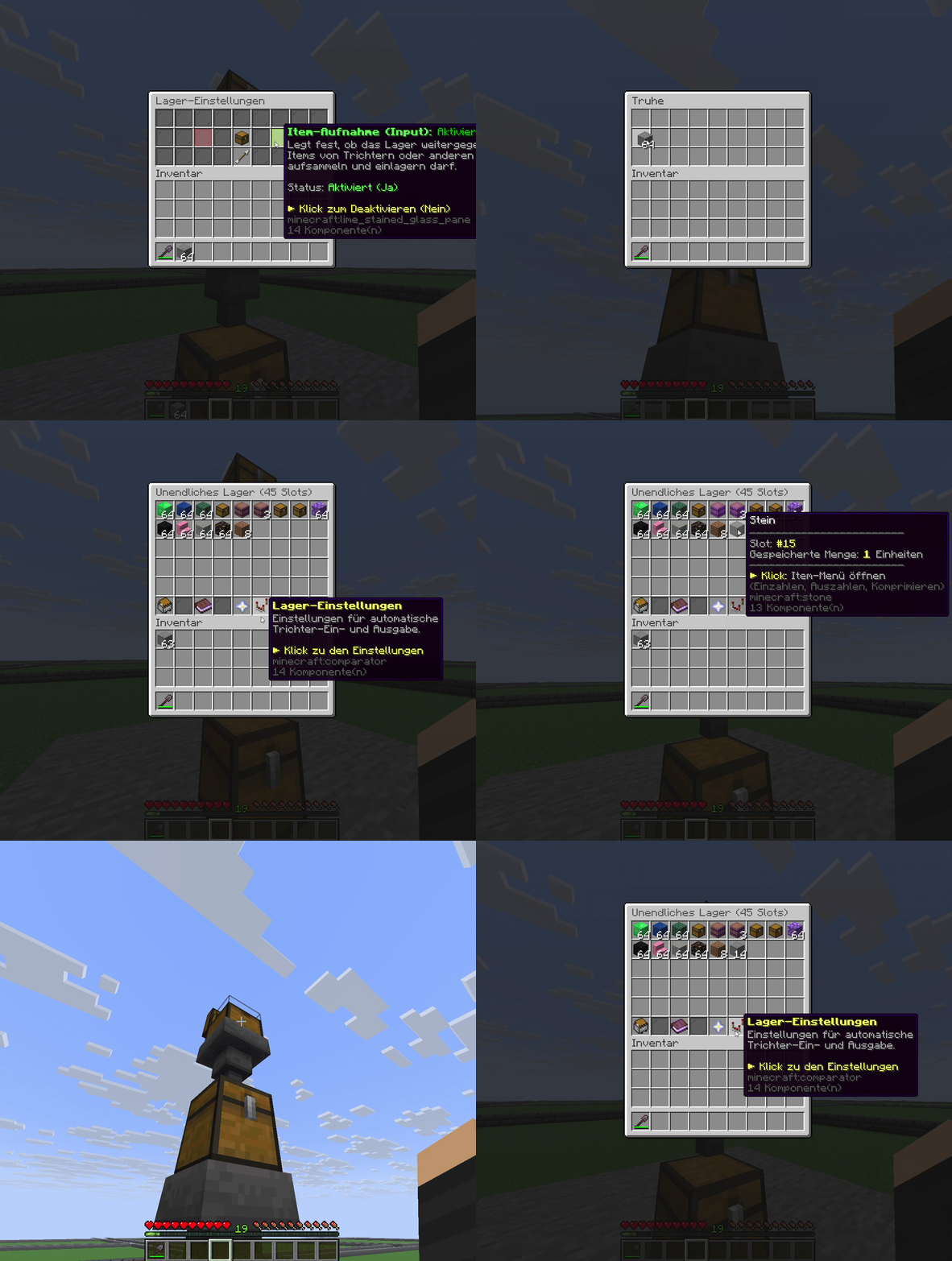
Control storage input.
Choose whether hoppers may deposit items into your store. Toggle input directly in the storage settings.
Directly from the developer
A virtual storage plugin for Minecraft with central terminals, compression and linked tools: an independent storage system for your CityBuild server.
━━━━━━━━━━━━━━━━━━━━━━━━━━━━━━━
A virtual storage plugin for your Minecraft server: InfiniteStorage turns individual storage blocks into large virtual stores with a clear GUI. Connect multiple stores through a terminal, deposit matching items with one click and expand capacity and item slots to suit your server.
📦 A compact storage system for CityBuild, farming and survival servers.
Many CityBuild players know the concept of infinite storage and central storage terminals from GrieferGames.net. InfiniteStorage is an independent plugin for your own server, combining virtual stores with terminals, compression and configurable upgrades.
━━━━━━━━━━━━━━━━━━━━━━━━━━━━━━━
WHY INFINITESTORAGE?
» Fewer walls of chests – manage large quantities of items in individual storage blocks.
» Central access – use one storage terminal to access several connected stores.
» Easier farming – link tools and deposit matching block drops directly into storage.
» Progression for your players – expand capacity and item slots with configurable upgrades.
━━━━━━━━━━━━━━━━━━━━━━━━━━━━━━━
FEATURES
» Virtual multi-slot storage – manage multiple item types with quantity displays and up to 45 unlockable slots.
» Different storage blocks – regular chests, trapped chests and barrels on supported server versions.
» Storage terminals – connect multiple stores and access them through a shared interface.
» Quick deposit – distribute matching inventory items using the terminal button; unlock this feature with a permanent, redeemable player right.
» Tool linking – automatically send matching block drops to the linked store.
» Seven compression tiers – withdraw items with multipliers from 9 to 4,782,969 and deposit them again.
» Shulker support – deposit matching contents from shulker boxes on server versions that support them.
» Hopper automation – configure input and output separately; includes integration with Trichtersystem and its transfer amounts.
» Upgrade system – configure capacities, slots and costs, with free unlocks through rank permissions.
» Access control – ownership and plot checks, plus public access through supported PlotSquared flags.
» Move your storage – break filled stores using a confirmation command and retain contents, upgrades and settings in the storage item.
» Customisable presentation – configure messages, GUI items, recipes and upgrade settings.
━━━━━━━━━━━━━━━━━━━━━━━━━━━━━━━
COMMANDS
» /storage give <Player> <CHEST|TRAPPED_CHEST|BARREL> [Amount] – Give a storage block: CHEST, TRAPPED_CHEST or BARREL.
» /terminal give <Player> <Capacity> [Amount] – Give a terminal with the desired number of connected stores.
» /terminal giveright <Player> [Amount] – Give the item that permanently unlocks quick deposit.
» /storage linktool – Link the held tool to a store.
» /storage unlinktool – Remove a tool link.
» /breakblock – Break the targeted filled store after confirming again.
» /storage reload – Reload configurations and GUIs.
━━━━━━━━━━━━━━━━━━━━━━━━━━━━━━━
PERMISSIONS
» infinitestorage.admin – Administrative commands and extended access.
» infinitestorage.tool.link – Link tools to storage.
» infinitestorage.tool.unlink – Remove tool links.
» infinitestorage.tool.override – Override existing tool links.
━━━━━━━━━━━━━━━━━━━━━━━━━━━━━━━
SYSTEM & SETUP
● Storage: local SQLite database; no external MySQL server required.
● Optional integrations: PlotSquared for plots, Vault with an economy plugin for paid upgrades, and Trichtersystem for extended hopper transfers.
● Version-dependent features: barrels and shulker contents require a server version that provides those features.
● Quick start: install the plugin, start the server, configure recipes and upgrades, then give players their first stores and terminals.
━━━━━━━━━━━━━━━━━━━━━━━━━━━━━━━
Experience the dynamics of our system
Manage large quantities of items in virtual stores with a clear GUI. Multiple item types, visible quantities and unlockable slots turn an individual storage block into a practical hub for your storage system.
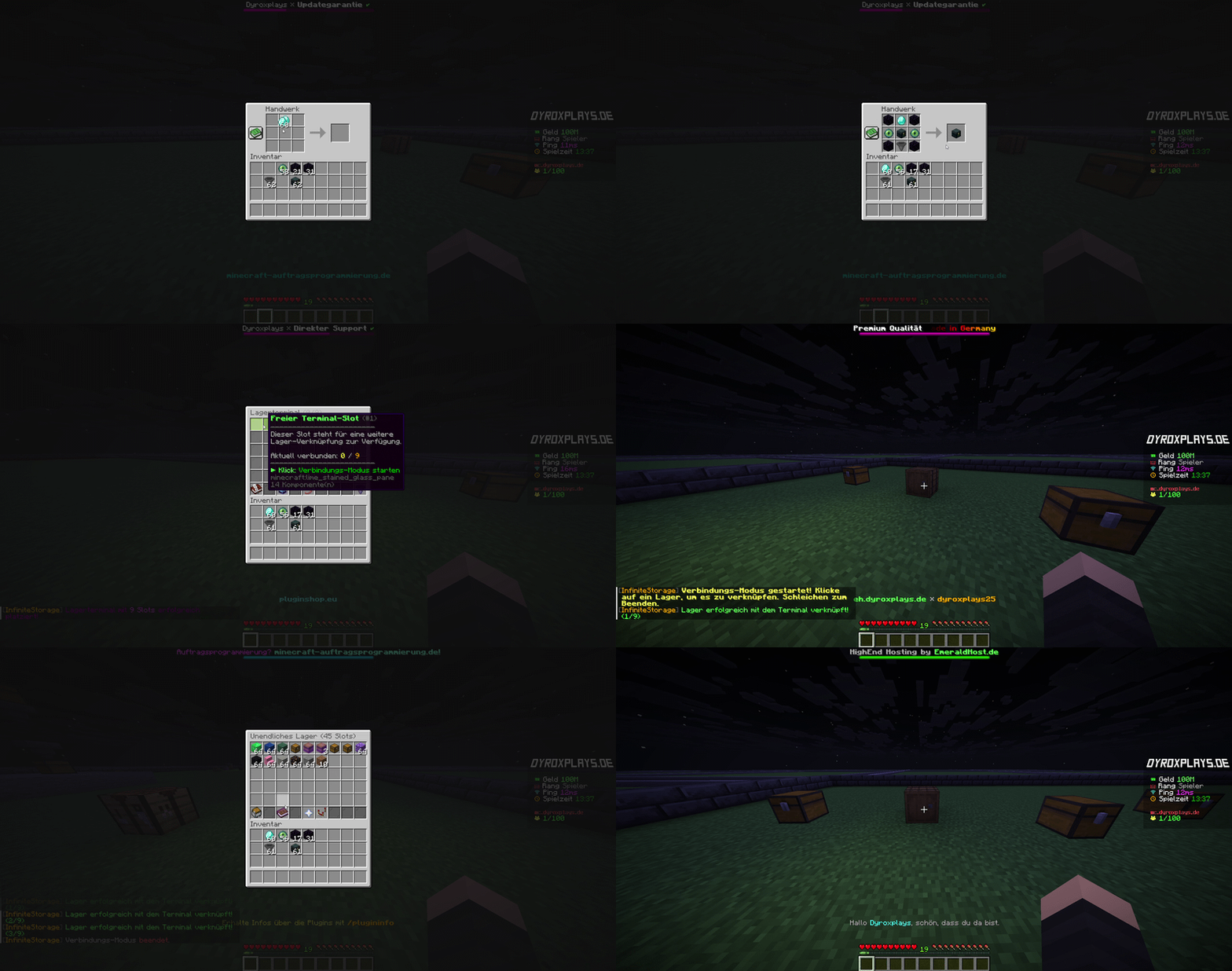
Use a shared storage terminal to access several connected stores. Unlock quick deposit to distribute matching items from your inventory to the connected stores with one click.
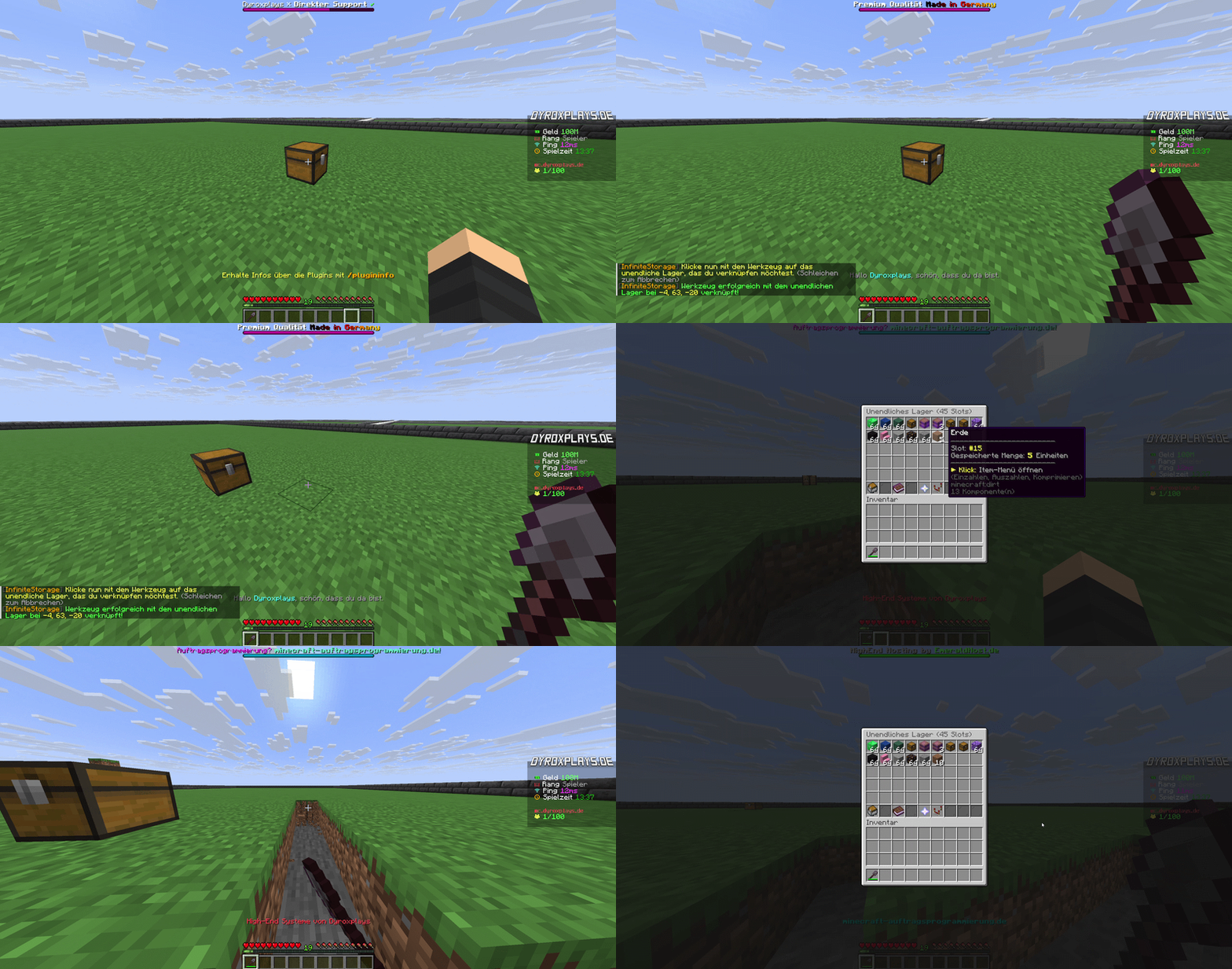
Link your tool to a store and send matching block drops directly there. Resources reach their intended storage while you farm, reducing the need to keep clearing the same materials from your inventory.
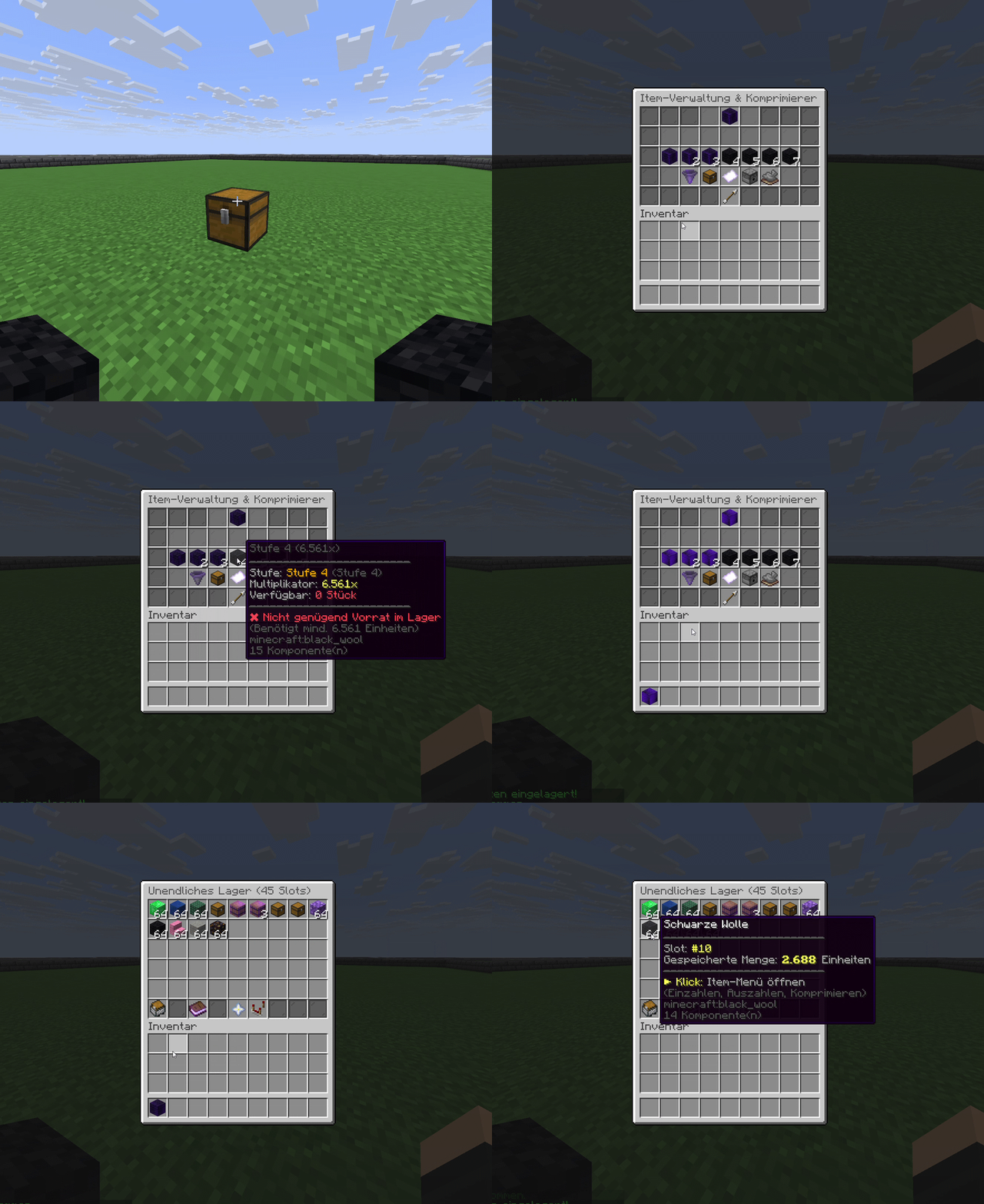
Withdraw resources as compressed items in seven tiers and deposit them again later. Multipliers range from 9 to 4,782,969 base units per compressed item, helping large stocks occupy fewer inventory slots.
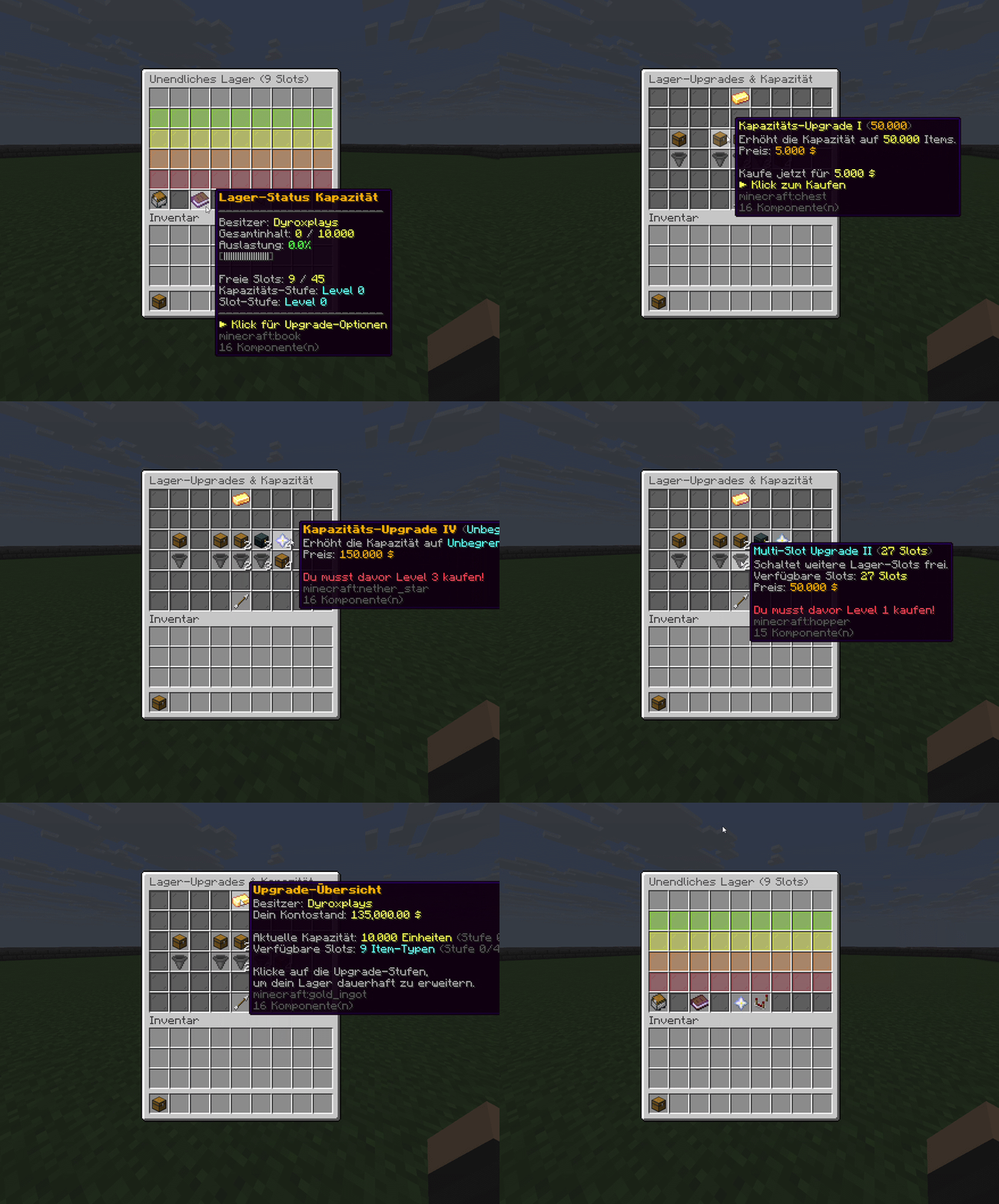
Decide how much each store can hold and which slots players can unlock. Configurable upgrade costs and free unlocks through rank permissions let you build a progression system that fits your server economy.
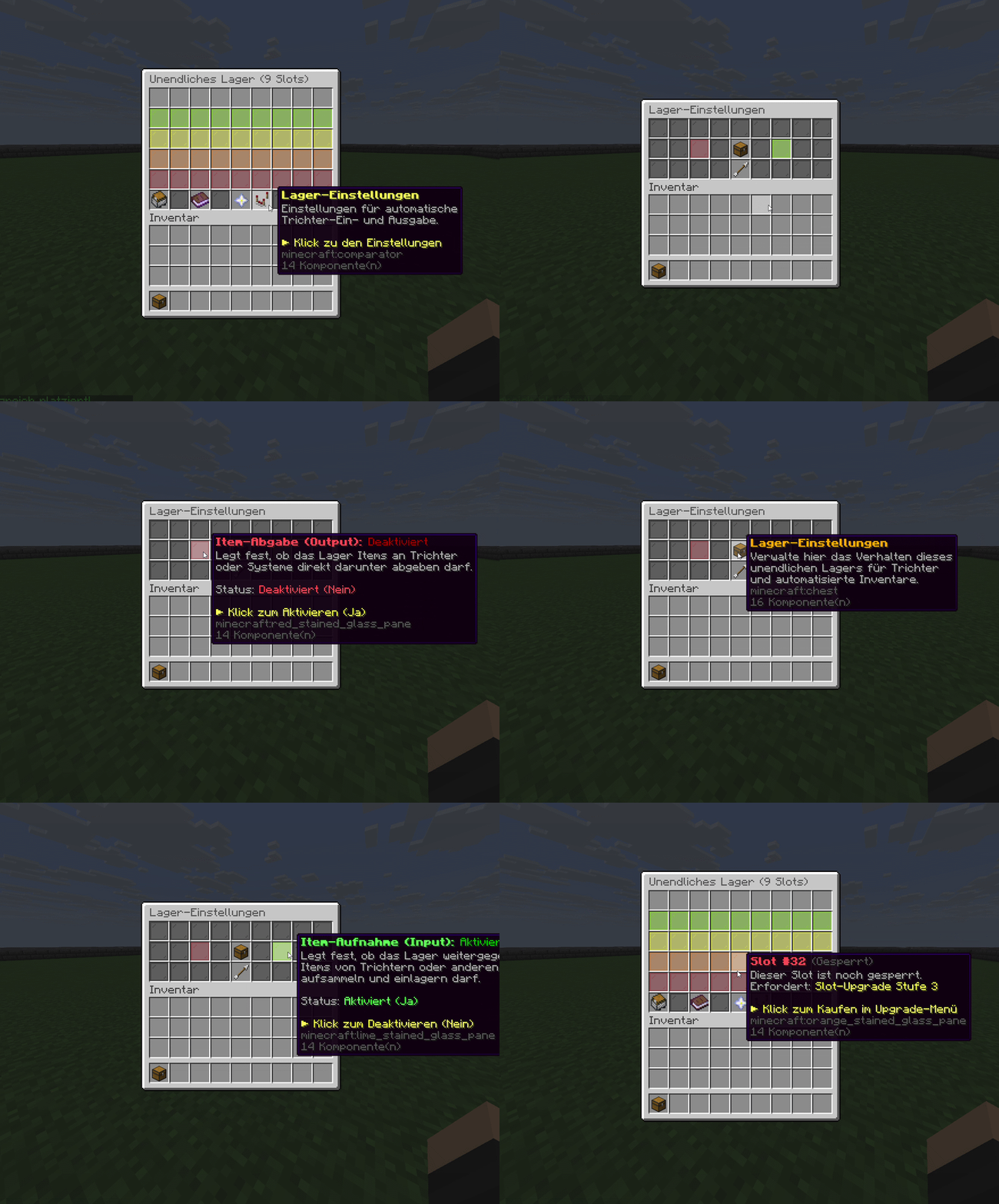
Connect your stores to automated item transfers and control input and output separately. Integration with Trichtersystem uses its configured transfer amounts, allowing individual items or larger quantities to suit your setup.
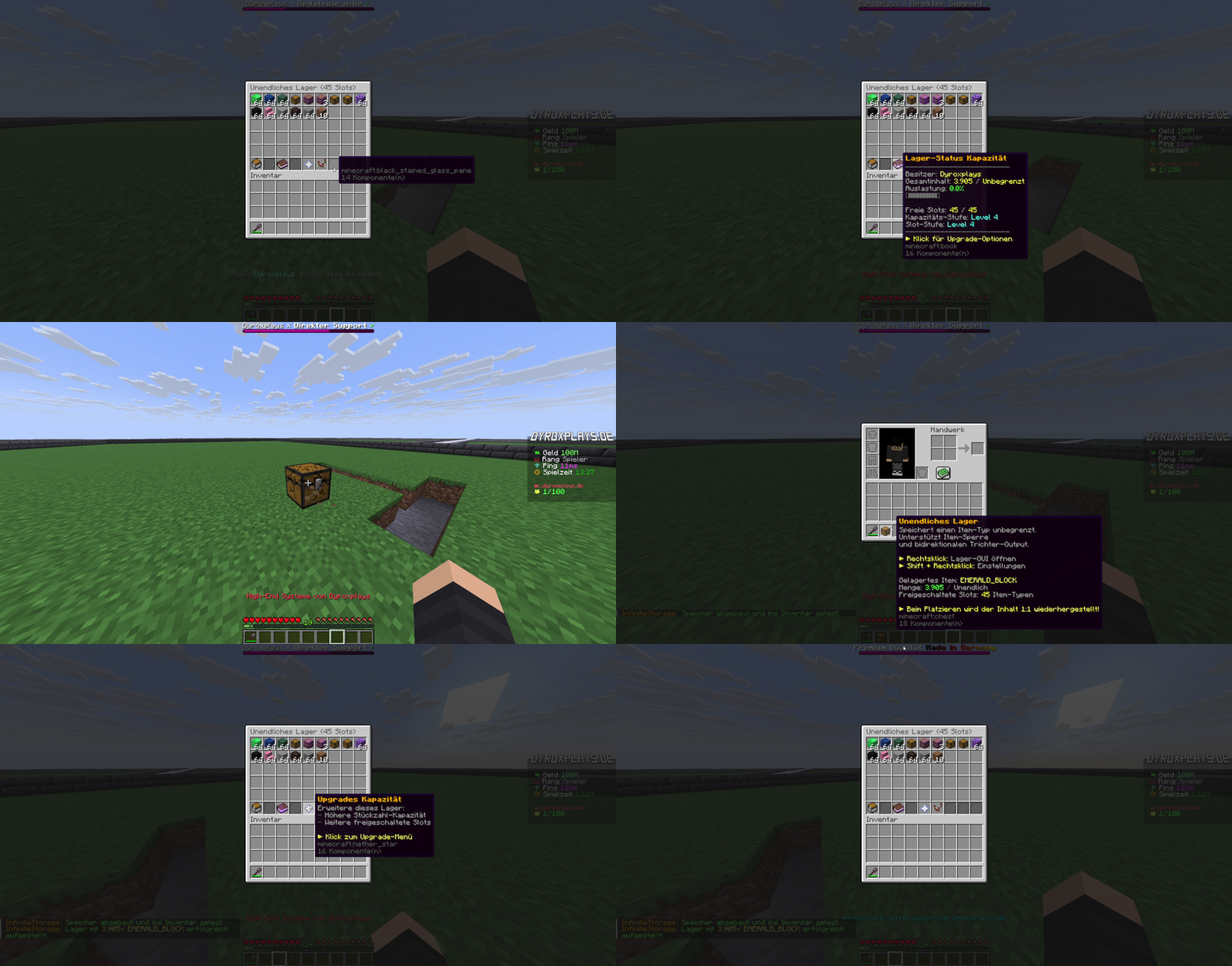
Manage access through ownership and plot checks, with supported sharing flags when using PlotSquared. To relocate a filled store, use /breakblock and confirm again to take its contents and settings with you in the storage item.
OVERVIEW
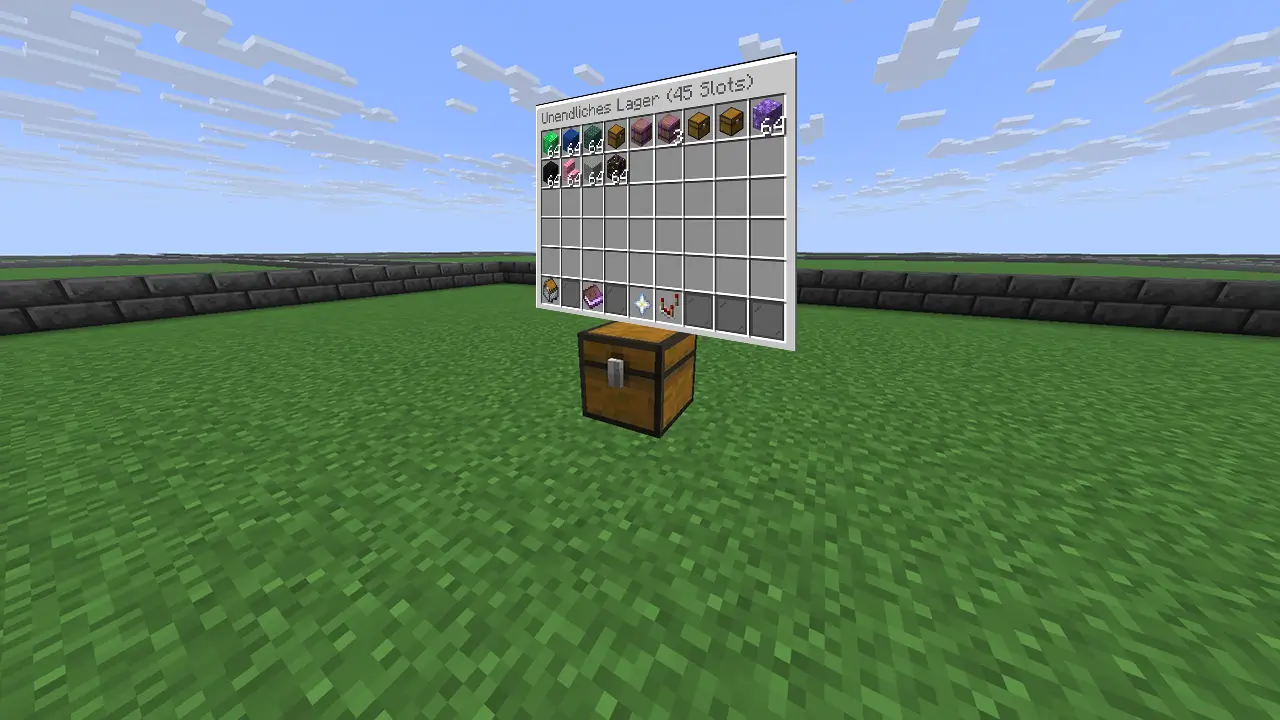
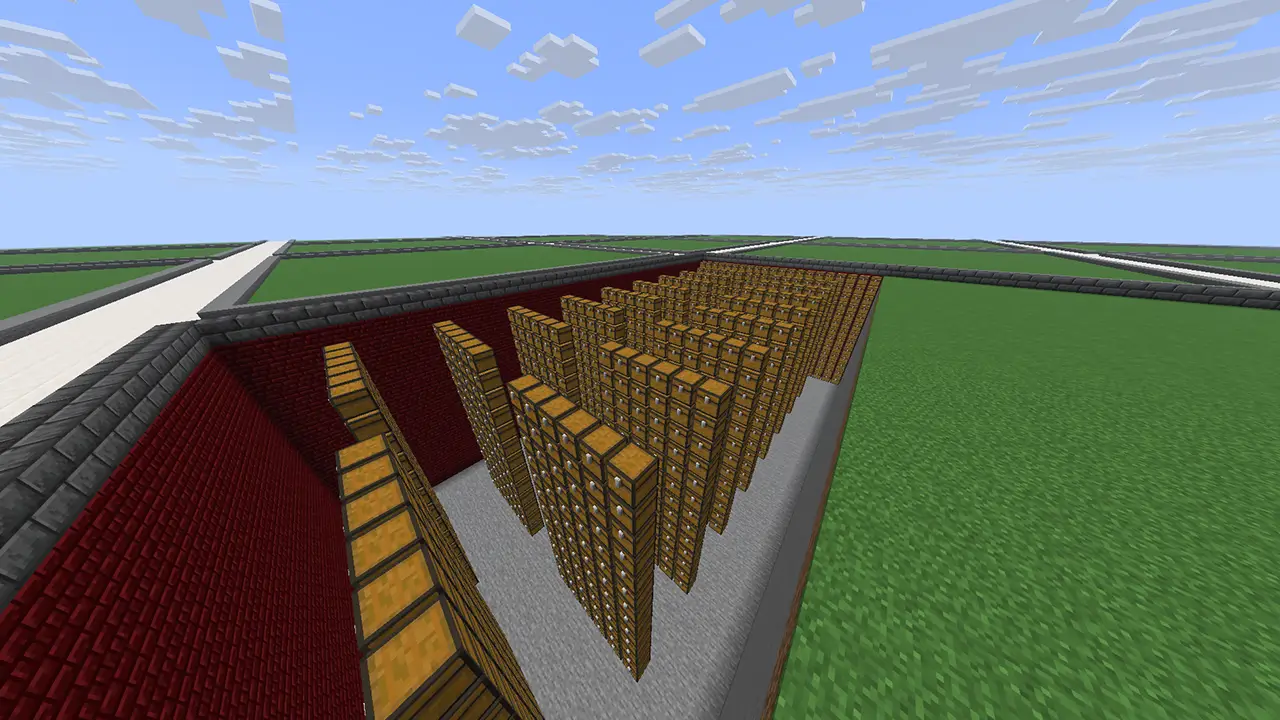
Drag the slider to compare a classic wall of chests with a compact storage setup.
BETTER TOGETHER
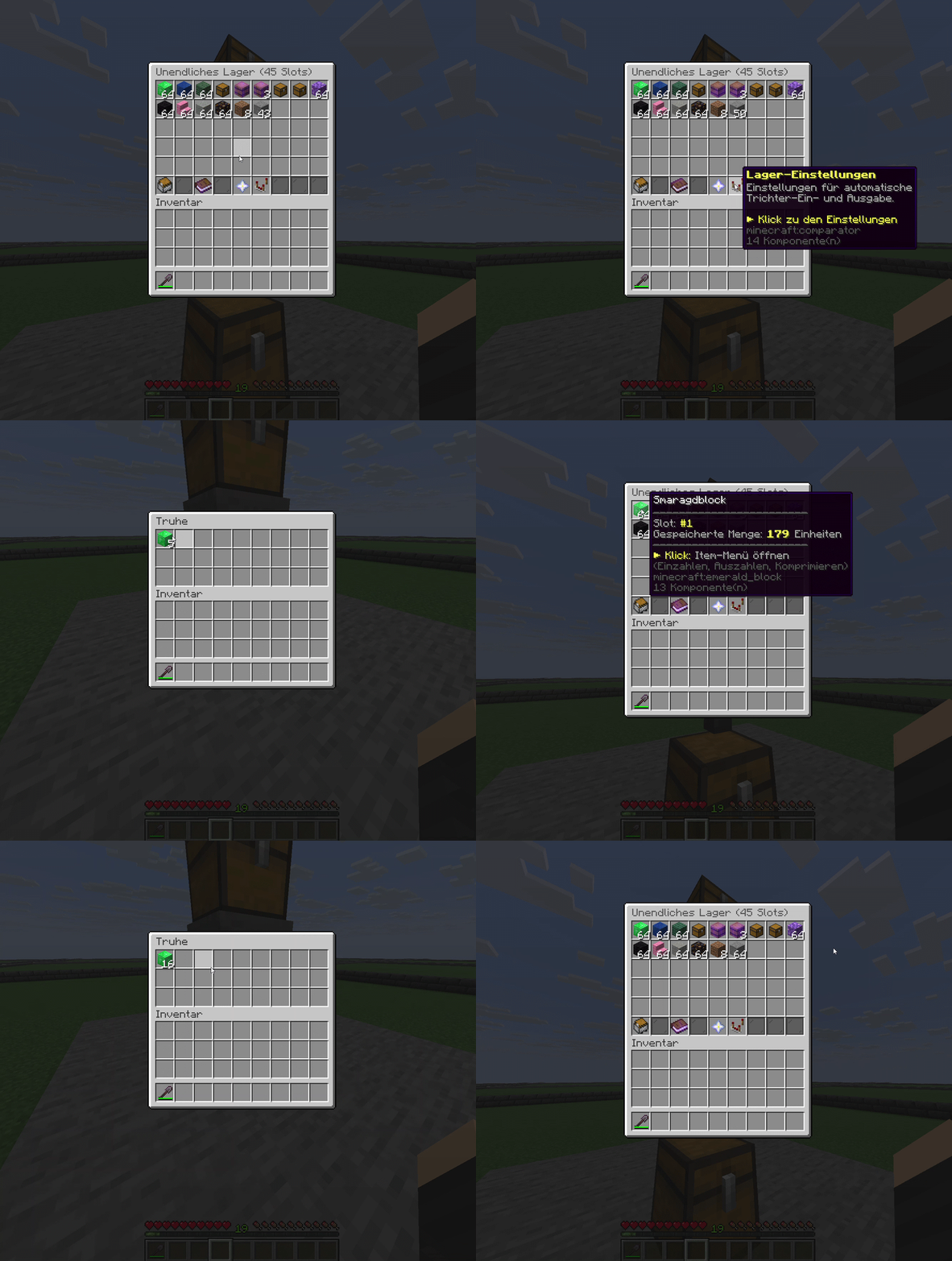
Connect registered Trichtersystem hoppers to your InfiniteStorage stores. Input deposits items into virtual storage; output feeds the hopper directly underneath. Control both directions separately.
Explore Trichtersystem ↗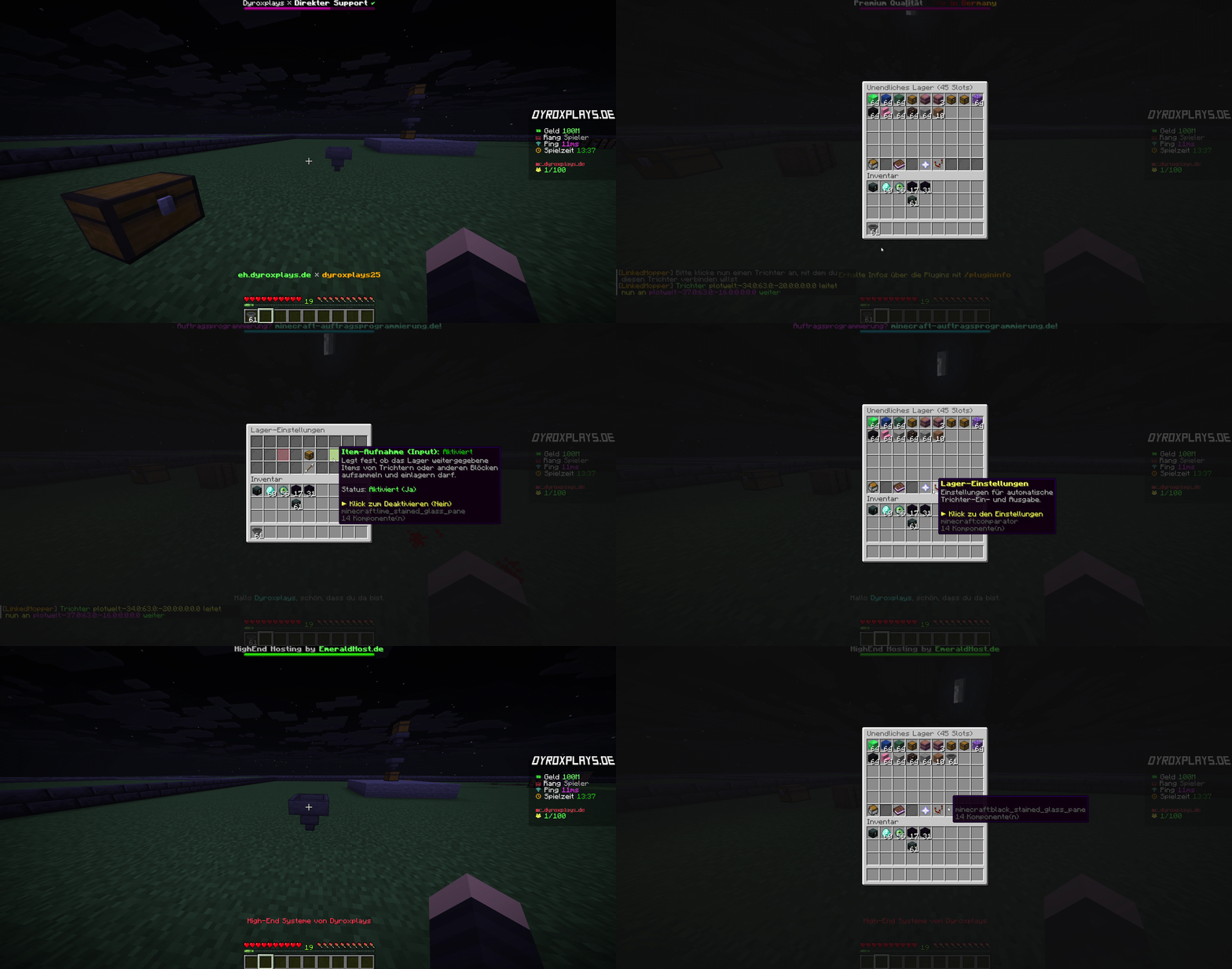
INPUT
Choose whether hoppers may deposit items into your store. Toggle input directly in the storage settings.
OUTPUT
Control output to the hopper directly underneath the store. Input and output can be configured independently.
EXPAND STEP BY STEP
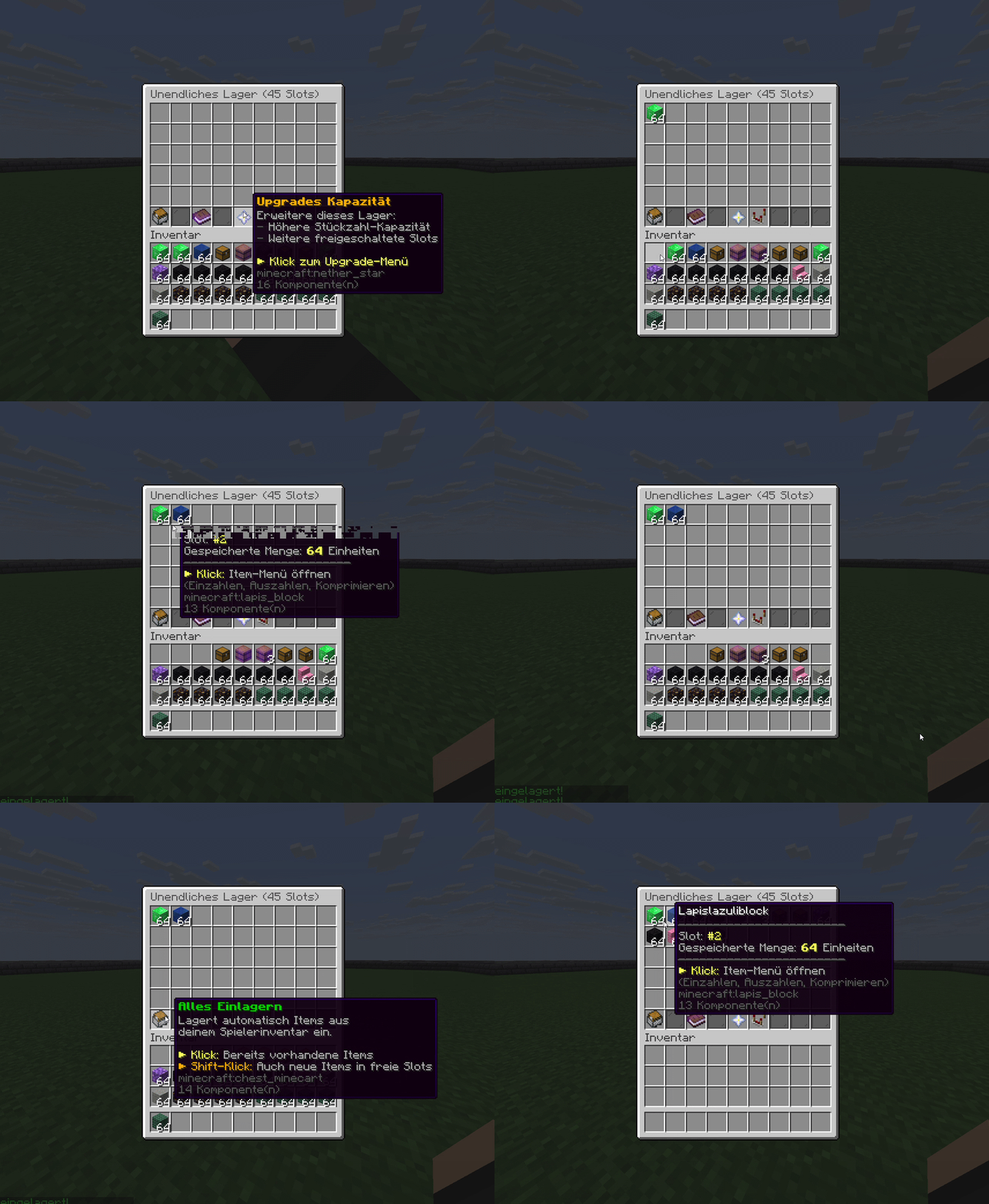
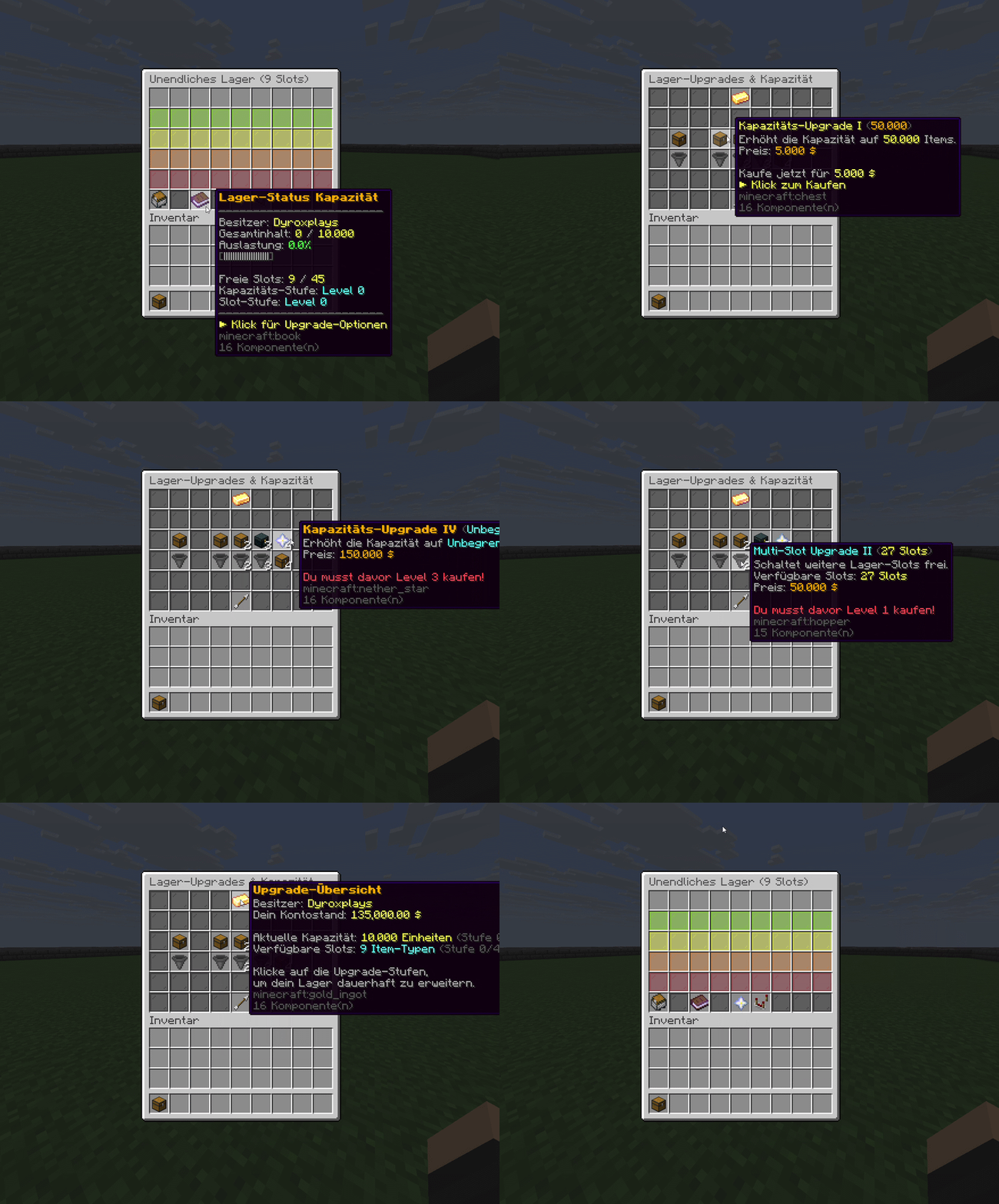
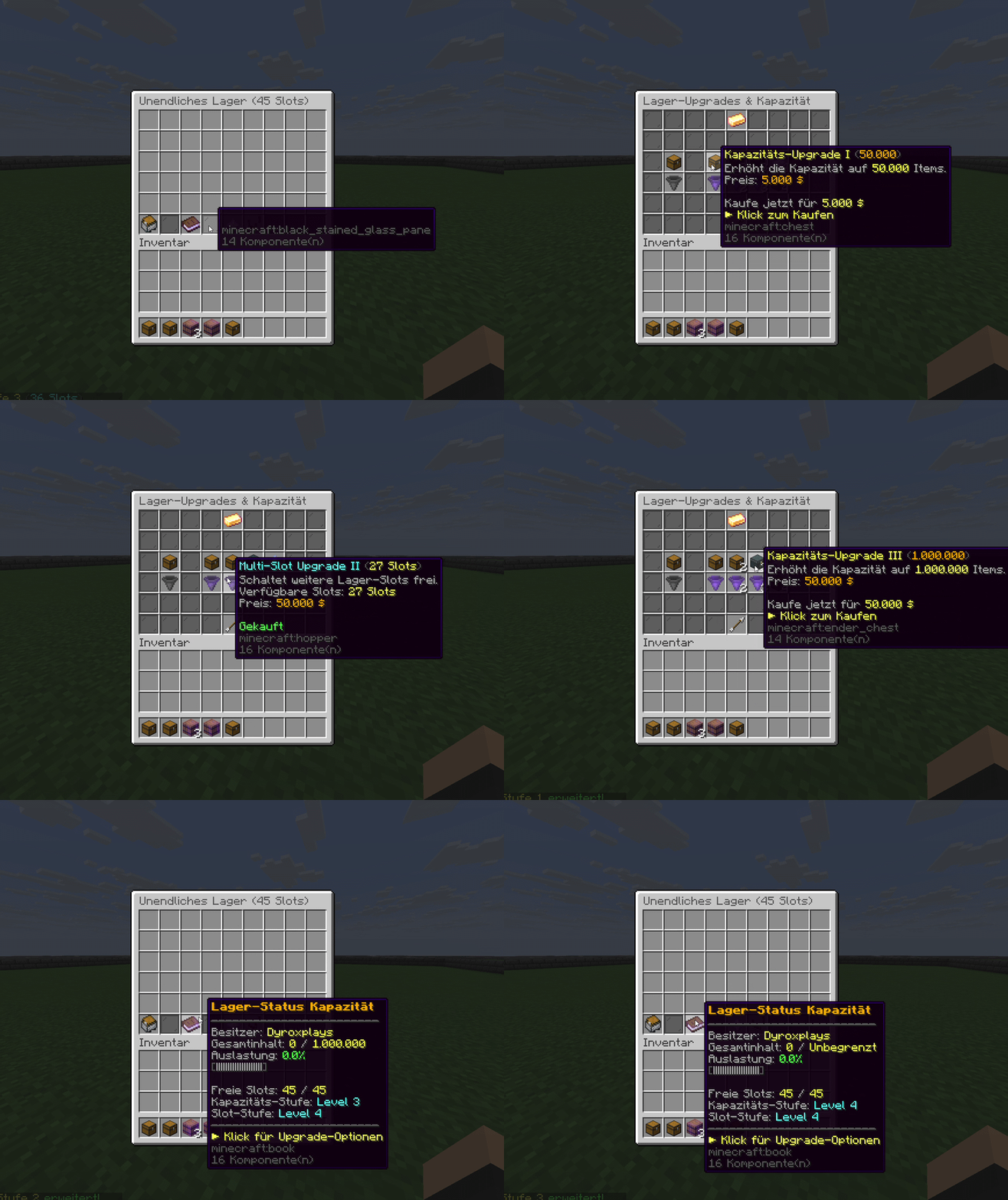
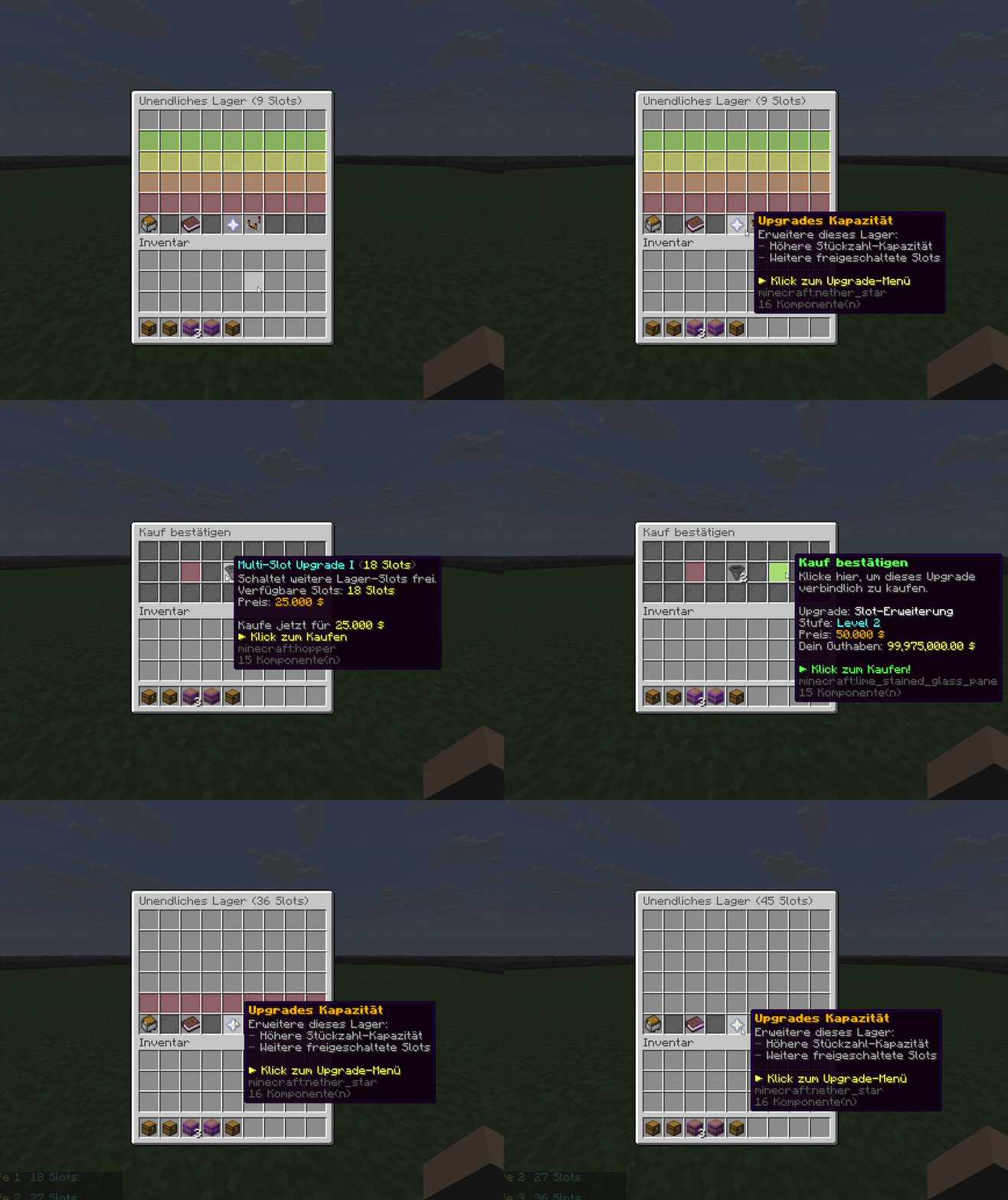
More capacity and room for additional item types: expand your stores through the available upgrade tiers. These recordings show the controls in game.
UPGRADE MENU
Open the upgrade menu to check capacity, item slots and the next expansion tiers. Configure costs and unlocks to suit your server.
Increase the amount your store can hold with capacity upgrades. Adapt storage to your players’ needs.
Unlock additional item slots so that more item types fit into the same store.
Turn storage into a reward: offer InfiniteStorage stores and redeemable quick-sort rights in CaseOpening. Use BuyPerms to unlock capacity and slot permissions, or grant storage items through configured purchase actions. Trichtersystem connects your stores to automatic hoppers to complete your storage setup.


Profitable plugin!
Must-Have to generate revenue & increase player retention!

Connect hoppers over any distance, build your own storage system and use precise item filters – completely without Redstone.
Configure rewards and unlocks in CaseOpening or BuyPerms, and connect your stores through Trichtersystem.
Check the performance of our plugins directly on our test server.
Your server can do more. Take the next step now.
4.7 / 5 · 36+ reviews


FREQUENTLY BOUGHT TOGETHER
TabList (prefix & suffix system), Sidebar Scoreboard, chat formatting, rank prefix system, ActionBar, BossBar and much more.
Pay once, with no recurring subscription fees.
For new Minecraft versions, as described on the product page and in the terms.
Get answers directly from the developer.
Settings and features are documented in the wiki.
We do not ask for your real name or postal address to buy and download plugins. Your access requires an email address, a username and your country. Depending on the payment method, the payment provider may request additional information.
Currently, every plugin in the shop comes with an update guarantee. Look for the update guarantee label on the product card. Use the filter to show only these plugins. The exact scope is explained on the product page and in the terms. Read the terms
Your shop license is assigned to your customer account (name-based), rather than a fixed server IP. An IP change therefore does not require a license reset. Our license terms govern how you may use the software. License terms in our Terms of Service
Check supported Minecraft versions, server software and any dependencies on the product page. If you are unsure, discuss your setup with support before buying.
Your download and license are available in the customer area once payment is received. You can return there to access your purchased plugins later. Open customer area
Read what administrators and network owners say about our plugins and support.
Trustpilot 4.7 / 5 Excellent 36+ reviews„Ich bin seit mehreren Jahren Kunde bei dyroxplays.de und komme immer wieder gerne zurück. Der Support ist nach wie vor freundlich, hilfsbereit und schnell erreichbar – das weiß ich sehr zu schätzen.“
„Toller Support, Tolle Plugins.“
„Bin vollkommen zufrieden. Top Plugins und top support. Ich habe schon 4 Plugins gekauft. Wenn ein Plugin Shop dann dyroxplays.de.“
„Sehr Netter Support“
„Super Cooles Plugin und Support einfach top“
„Wer Wert auf Qualität, Ehrlichkeit und einen Support, der diesen Namen auch wirklich verdient, legt, ist hier goldrichtig. Ein Shop, der nicht nur Produkte verkauft, sondern Kundenzufriedenheit ernst nimmt.“
„Immer hilfsbereit, super freundlich und extrem schnell“
Known as a verified seller on